UI Bugs on Android Paywall
Hi Adapty Support Team,
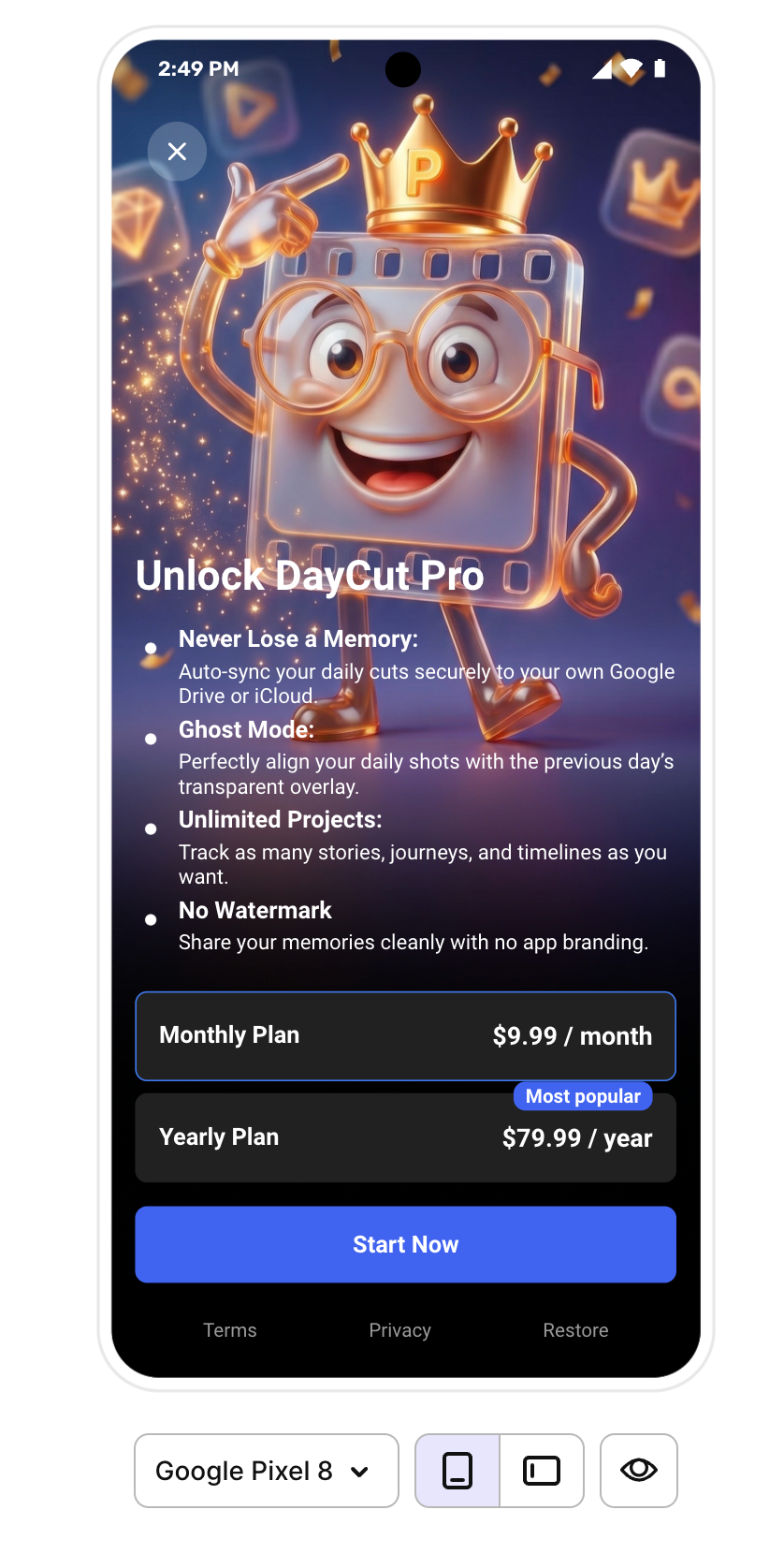
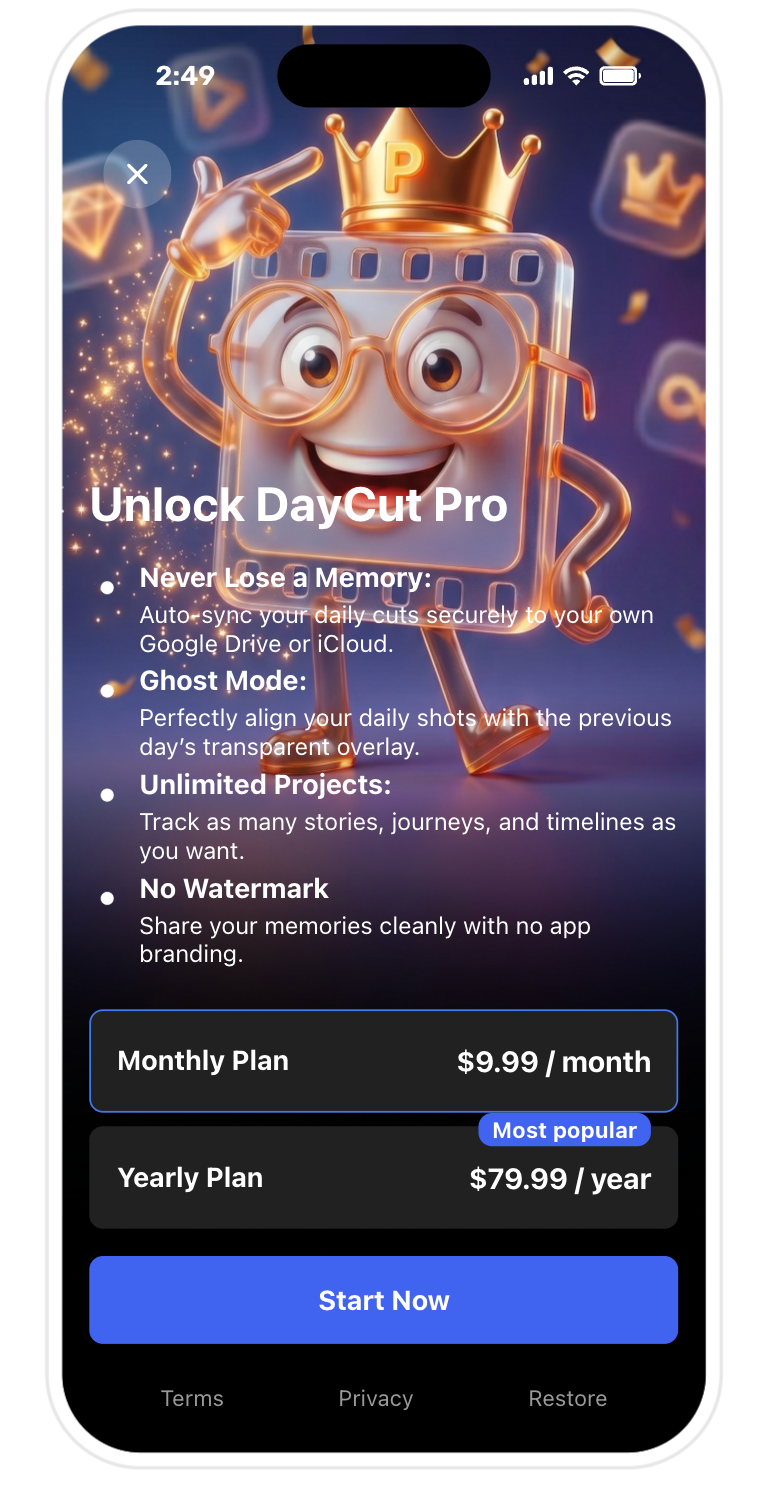
I am writing to report severe UI rendering inconsistencies on Android when using the AdaptyUI KMP SDK. While the paywall displays perfectly and matches the dashboard preview on iOS, the Android implementation has major visual layout issues.
Here are the specific problems we are facing on Android:
Text Sizing & Shrinking Glitch (Affects All Text): None of the text elements match the dashboard preview size (this happens for all fonts across the entire paywall). More importantly, there is a visible layout glitch upon opening the paywall: all text instantly shrinks/scales down during the initial render/entrance animation and stays locked at that smaller, incorrect size.
Button Corner Radius: Button radiuses do not match the preview and fail to clip the inner elements correctly compared to iOS.
Environment Details:
Adapty KMP SDK Version:
[KMP SDK Sürümün]AdaptyUI SDK Version:
[AdaptyUI KMP Sürümün]Tested Devices/OS:
[Örn: Android 13/14 - Samsung S23, Pixel 7]
I have attached comparison screenshots from both iOS and Android, along with a short screen recording showcasing the text shrinking animation glitch on Android.
Could you please guide us on how to resolve these text rendering and layout discrepancies within the KMP setup?
Best regards,
Comments1
Ebrar Berenay Yiğit
Jul 15
Hello, this is Berenay from Adapty Support Team.
Thanks for reporting this and for providing the screenshots and screen recording.
What you're seeing is not the expected behavior of Paywall Builder rendering on Android. Since the same paywall displays correctly on iOS, this points more toward an Android rendering issue rather than a paywall configuration problem.
There are a few things we would recommend checking first:
Please make sure you're using the latest stable versions of both
adapty-kmpandadapty-kmp-ui, and verify that the UI module is enabled correctly using.withActivateUI(true).If any text elements use auto-scaling or fit-to-size behavior, try disabling it or increasing the available width, height, or number of rows for those text blocks. On Android, the renderer supports
on_overflow: ["scale"], which can reduce the font size incrementally until the content fits. If the initial layout pass during the paywall opening animation is temporarily constrained, this could explain the visible "shrinking" effect you're observing during the first render.For the corner radius issue, as a temporary workaround, try avoiding nested or flush inner backgrounds inside rounded buttons or cards, add some inner padding, and apply matching radius/background values to the inner elements where possible. Android should clip rounded shapes correctly, so if content is still overflowing on the latest SDK version, it is better to investigate further.
To investigate further, it would be helpful if you could share:
The exact
adapty-kmpandadapty-kmp-uiversions currently in use.The affected Android devices and OS versions.
Whether the issue reproduces with Android system font scaling and display size set to their default values.
Whether disabling entrance animations or changing text auto-scaling behavior affects the result.
The affected paywall or placement ID.
We're continuously improving and expanding Flow Builder and the underlying rendering engine, so we strongly recommend keeping your SDK versions updated and checking the latest releases regularly, as many UI improvements and fixes are delivered through SDK updates.
If you're already using the latest versions and the issue still reproduces consistently, please send the details above along with the screenshots and recordings to support@adapty.io so we can investigate it further.